MOD Bus Simulator Indonesia
- 4.4
- Rating
- 1.00M
- Installs
- Free
- Price

 Analysis by App-foxy
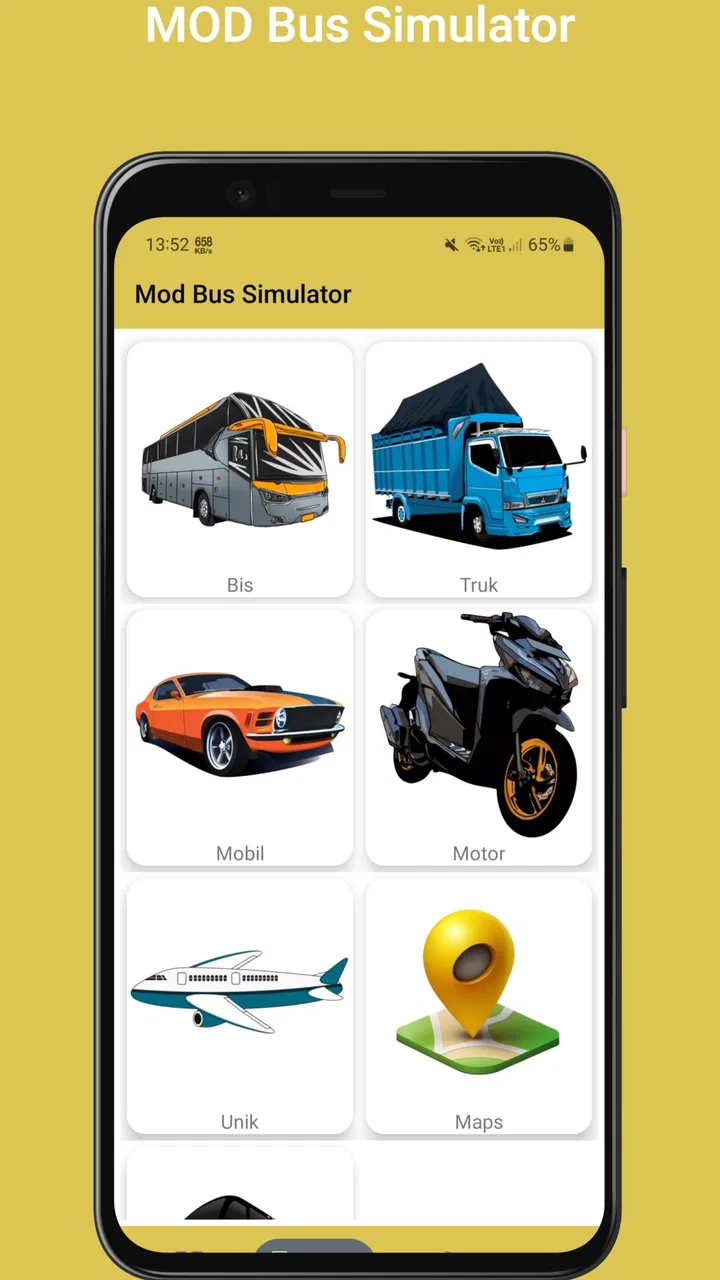
I approached MOD Bus Simulator Indonesia as a practical companion for players who want to add a modified bus-simulation package to their Bus Simulator Indonesia experience. It is an Events app from pandawadroid, although its purpose is much more specific than that category label suggests: the store presents it as a way to obtain a complete, easy-to-use MOD for Bus Simulator Indonesia. That narrow focus is both its biggest attraction and the main reason I would not recommend it to everyone.
The app is free, aimed at Everyone, and has passed the early-adoption stage with over a million installs. Its average rating sits at 4.3 from around thirty-eight thousand ratings, so there is clearly a sizeable audience using it. I still think the rating needs to be read with some caution. A MOD utility can be useful in one setup and frustrating in another, especially when the real problem comes from the game version, file handling, storage access, or a device that does not cooperate with the installation process.
Where the setup usually becomes confusing
The first thing I noticed is that the phrase “MOD Bus Simulator” sounds simpler than the actual task may feel to a new user. Someone expecting to open the app and immediately start driving may instead need to understand what the MOD is intended to change, where it belongs, and how it connects with the main game. The app is not a replacement for Bus Simulator Indonesia itself, so it makes more sense as an add-on source than as a complete driving game.
You May Also Like

 Pandora - Music & Podcasts
Pandora’s Music Is Easy to Start, but Harder to Recover
Pandora’s strength is its low-effort path from a seed to a station. Its weak spot is how much confidence it asks you to place in connection, setup, and quiet recovery.

 8 Ball Pool
 Is Built on Rivalries, Rematches, and Routine
A close look at the rivalries, rematches, shared routines, and unanswered safety questions that turn a quick pool match into a persistent mobile community.

 Samsung Music
’s Quiet Strength Is Playing What You Already Own
Its reach comes less from spectacle than from dependable access to a personal library. That simplicity is both the app’s strongest retention engine and its ceiling.

 AccuWeather: Weather Radar
AccuWeather Review: A Quick, Clear Forecast for Everyday Decisions
For everyday plans, the best forecast is the one you can understand quickly. AccuWeather makes rain timing, radar, and local conditions easy to act on, with a few trade-offs.

 Hill Climb Racing
Why Hill Climb Racing Still Turns Crashes Into One More Run
A tiny car, a bumpy hill and one more upgrade: Hill Climb Racing keeps resurfacing because its simple chaos makes every near-miss feel personal.

 AliExpress - Shopping App
AliExpress Makes Global Shopping Feel Personal, but Shoppers Bear the Risk
AliExpress turns a global marketplace into a pocket-sized discovery engine. Its reach is useful, its shopping loop compelling, and its trade-offs easy to miss.
More From Our News Desk
View All News


That distinction matters when deciding whether to install it. If you already play Bus Simulator Indonesia and want to experiment with a modified setup, the app has a clear purpose. If you are looking for a standalone bus game, a general event calendar, or an official game companion with broader tools, this is the wrong category of download despite its store classification.
My most useful advice is to slow down before tapping every available button. Read the wording around the download or installation step, note whether the package is intended for the game you already have, and avoid mixing several MOD files at once. A clean starting point is easier to troubleshoot than a setup containing multiple unofficial changes whose effects are impossible to separate.
Another common sticking point is the difference between downloading a file and making the game recognize it. Those are separate stages. A successful download does not automatically prove that the game can use the content. If the app appears to finish its part but nothing changes inside Bus Simulator Indonesia, I would first review the file location and compatibility rather than repeatedly downloading the same item.
This is also where expectations can become unrealistic. A MOD may alter or add content, but it cannot guarantee that every device, game build, or future update will handle that content in exactly the same way. The app’s current version is 3, and the underlying game can change independently. That means a setup that worked previously may need checking again after either application receives an update.
What I check before starting
I begin with the basic conditions: the official game is installed, the device has enough free space for both the downloaded package and any temporary files, and the operating system meets the app’s minimum requirement of Android 6.0. These checks sound obvious, but they remove several avoidable causes of failure before the MOD is involved.
I also make sure I know where Android is saving the downloaded file. File managers do not always present folders in the same way, and a user can easily assume that a file is missing when it is simply stored in a download location they have not opened. Searching by the file name or sorting by recent items is often more useful than browsing random folders.
The safest workflow is to change one thing at a time. I would install or update the game first, confirm that it opens normally, and only then work with the MOD. This creates a useful reference point. If the unmodified game already crashes, freezes, or refuses to load, adding an unofficial package will only make the diagnosis harder.
It is worth checking the source and file description inside the app before proceeding. I would avoid packages with unclear instructions, misleading names, or a mismatch between the stated game version and the game installed on the phone. I also would not treat a “complete” label as proof that the package is universally compatible. In practice, completeness and compatibility are different questions.
Because this is a free app, I would be especially careful about confusing the app itself with unrelated download prompts or pages that appear during the process. Stay focused on the intended file, do not install extra applications simply because a page suggests them, and cancel anything that looks unrelated to Bus Simulator Indonesia. That is sensible housekeeping for any MOD workflow.
Recovering when the game does not show the MOD
If the file downloads but does not appear in the game, I would retrace the process in a fixed order rather than guessing. First, I would confirm that the download completed instead of leaving behind a partial file. Next, I would check the file’s name and location. Then I would revisit the instructions for the specific package and verify that the file was placed where the game expects it.
I would also close Bus Simulator Indonesia completely before moving files, then reopen it after the change. A game that was already running may not rescan its content immediately. This is a small but practical recovery step, and it avoids interpreting a stale screen as proof that the installation failed.
If the game still behaves as though nothing changed, I would remove the latest modification and test the original game again. That rollback tells me whether the problem is tied to the MOD or to the base installation. Keeping a copy of personal game data before changing files is sensible, but I would not overwrite important folders casually or delete anything whose purpose I do not understand.
When the game crashes after the MOD is added, the best response is not to keep reinstalling the same package. I would return to the last working state, check whether the game or package has a version mismatch, and try a single compatible file instead of a bundle of changes. If the unmodified game works but the modified one does not, the evidence points toward compatibility or file placement rather than a general phone fault.
There is a useful difference between a loading delay and a genuine failure. A large package may take longer to process, while a crash that repeats at the same point is more significant. I would give the game a reasonable moment to load without tapping repeatedly, then use a clean restart if it remains unresponsive. Repeated taps can create extra confusion, especially when a file operation is still in progress.
When the app may not be responsible
Not every failed MOD installation is caused by pandawadroid’s app. Android storage behavior, the device’s available space, a damaged download, or the main game’s own update history can all produce similar symptoms. This is why I prefer the clean baseline test: open Bus Simulator Indonesia without the MOD, confirm that it runs, and then introduce the modification in a controlled way.
The operating system requirement is another useful boundary. The app supports devices running Android 6.0 or later, but meeting that minimum does not promise identical behavior on every phone. Older hardware may have less room for large files or may handle demanding game content less comfortably. If the app opens but the game struggles only after modified content is loaded, the limitation may be the device’s resources rather than the download tool.
Network conditions can also create misleading results. A download that stops partway through may leave a file that looks present but cannot be used. I would retry on a stable connection, inspect the file after downloading, and avoid launching it while the transfer is incomplete. If other downloads are failing too, troubleshooting the connection makes more sense than blaming this particular app.
Updates deserve attention as well. The app was released on August 12, 2023, and its listed version is 3, but the relevant compatibility question is always the relationship between the app, the MOD package, and the installed game. I would not assume that a package made for one game build remains reliable after a major update. Keeping notes about what worked on the phone can save time when returning to the game later.
For privacy and device safety, I would stay within ordinary Android safeguards: review what is being installed, avoid giving unnecessary access to unrelated software, and remove files or applications that are clearly outside the intended Bus Simulator Indonesia workflow. The goal is to enjoy a modification, not to turn a simple game experiment into a collection of unknown downloads.
Who benefits from this particular tool
I see the strongest use case in a player who already understands the basic Bus Simulator Indonesia file workflow and wants a focused place to find a MOD rather than searching through scattered pages. That player is more likely to recognize a version mismatch, identify the correct folder, and recover without damaging the original game installation.
It can also suit someone who enjoys testing different bus-simulation setups in a controlled way. My recommendation in that case is to keep a simple record: which package was added, where it was placed, and whether the original game still opened afterward. This makes experimentation less frustrating and helps identify the one change that caused a problem.
I would not choose it for a child who expects a one-tap experience, even though the content rating is Everyone. The age rating describes suitability, not technical simplicity. A younger player may still need an adult to handle file locations, downloads, compatibility checks, and recovery if the game stops loading.
I would also skip it if my priority were official support and predictable updates. An official game download or an in-game customization option is generally a better fit for someone who wants the fewest moving parts. The advantage of a MOD is flexibility; the trade-off is that troubleshooting becomes part of the experience.
How it compares with ordinary alternatives
Compared with simply playing the unmodified Bus Simulator Indonesia game, this app offers a more experimental route. The standard game is the better choice when stability, straightforward updates, and an uncomplicated start matter most. The MOD route is more appealing when I want to explore content outside the default setup and accept that compatibility may require attention.
Compared with searching for individual MOD files through a mobile browser, a dedicated app can feel more convenient because its purpose is narrower. I do not have to sift through as many unrelated pages, but convenience should not replace judgment. I still need to read instructions, check the game version, and confirm where a file belongs. The app reduces searching; it does not remove responsibility.
Compared with a general file manager, it is more specialized but less useful for diagnosing every storage problem. A file manager is better for seeing exact folders, renaming files, and checking whether a download really exists. I would use the two tools together when necessary: this app for obtaining the intended MOD and the file manager for verifying the local installation step.
That combination reveals one of the less obvious trade-offs. The app may be the quickest route to the content, while the file manager is often the better tool for understanding why the content is not being recognized. Users who expect one application to handle discovery, downloading, placement, and compatibility automatically may find the experience less seamless than the short store description suggests.
My practical verdict after using the workflow
My opinion is favorable, but conditional. MOD Bus Simulator Indonesia is useful when you already want a Bus Simulator Indonesia modification and are willing to treat setup as a small technical task. Its free price removes the usual purchase barrier, its audience is substantial, and the focused purpose is easier to understand than a broad utility that promises many unrelated tools.
At the same time, I would not install it merely because the name sounds like a new version of the game. It is not the main driving experience, and it cannot make every MOD compatible with every installation. The most reliable approach is to keep the original game working first, download one package at a time, verify its location, and roll back cleanly if the game stops behaving normally.
The app’s 4.3 average from around thirty-eight thousand ratings suggests that many people find value in it, while the overall experience still depends heavily on the surrounding setup. I would recommend it to experienced or patient Bus Simulator Indonesia players, especially those who enjoy customizing their sessions. I would point beginners toward the unmodified game first, then return to this app once they understand the normal installation and file structure.
In short, this is a focused MOD source rather than a magic installation button. Used carefully, it can make experimenting with Bus Simulator Indonesia more convenient. Used without checking versions, locations, or the original game’s health, it can create problems that look bigger than they are. For me, that balance defines the app: worthwhile for a specific audience, but best approached with a backup-minded workflow and realistic expectations.
FAQs for MOD Bus Simulator Indonesia
01What is MOD Bus Simulator Indonesia and how does it differ from other bus simulation games?
MOD Bus Simulator Indonesia offers a unique experience by focusing on Indonesian landscapes and buses. Unlike other simulators, it provides an authentic feel of driving through Indonesia's diverse environments, complete with local traffic rules and cultural nuances. The game also allows for extensive customization of buses, making it a standout choice for those interested in a localized simulation experience.
02Can I customize my buses in MOD Bus Simulator Indonesia?
Yes, customization is a key feature of MOD Bus Simulator Indonesia. Players can modify their buses extensively, from changing colors and decals to adding accessories and improving performance. This customization allows players to create a personalized experience, enhancing both the visual appeal and functionality of their vehicles.
03What are the system requirements for running MOD Bus Simulator Indonesia on my device?
MOD Bus Simulator Indonesia is designed to run on most modern Android and iOS devices. However, for optimal performance, it is recommended to have a device with at least 2GB of RAM and a quad-core processor. Ensuring your operating system is up-to-date will also help in running the game smoothly.
04Is MOD Bus Simulator Indonesia available for offline play?
Yes, one of the advantages of MOD Bus Simulator Indonesia is that it can be played offline. This feature makes it convenient for users who might not have constant access to the internet, allowing them to enjoy the game anytime and anywhere without interruption.
05Are there in-app purchases in MOD Bus Simulator Indonesia?
MOD Bus Simulator Indonesia includes optional in-app purchases. These allow players to buy additional features, such as new buses or customizations, to enhance their gaming experience. However, all core gameplay elements are accessible without spending money, making the game enjoyable for both free and paying users.
Pros
- Realistic Indonesian environments
- Customizable buses and routes
- User-friendly controls
- Offline play available
- Frequent updates and improvements
Cons
- Limited vehicle selection
- Graphics could be better
- Occasional bugs and crashes
- Repetitive gameplay elements
- In-app purchases can be pricey

MOD Bus Simulator Indonesia
Gallery